Think of standard antivirus software as a security guard at an office building checkpoint holding a book of “Wanted” posters.
When a new malware variant is discovered somewhere in the world, cybersecurity researchers isolate its unique underlying code.
They generate a specific digital fingerprint for that code, known as a signature.
This signature is added to a massive, centralized database shared with your security software.
When a file enters your system, the scanner checks it against this database. If it finds an exact match, the file is flagged and quarantined.
While highly effective at filtering out known, low-level script junk, this database-driven model has a massive architectural flaw: it requires a victim to exist before a defense can be created.
If a hacker writes a brand-new piece of malicious code—or subtly modifies an existing one so its digital fingerprint changes—the database has no record of it. This is known as a zero-day threat. When traditional software scans a zero-day file, it finds no matching signature on its wanted list, shrugs its shoulders, and allows the file straight into your corporate network.
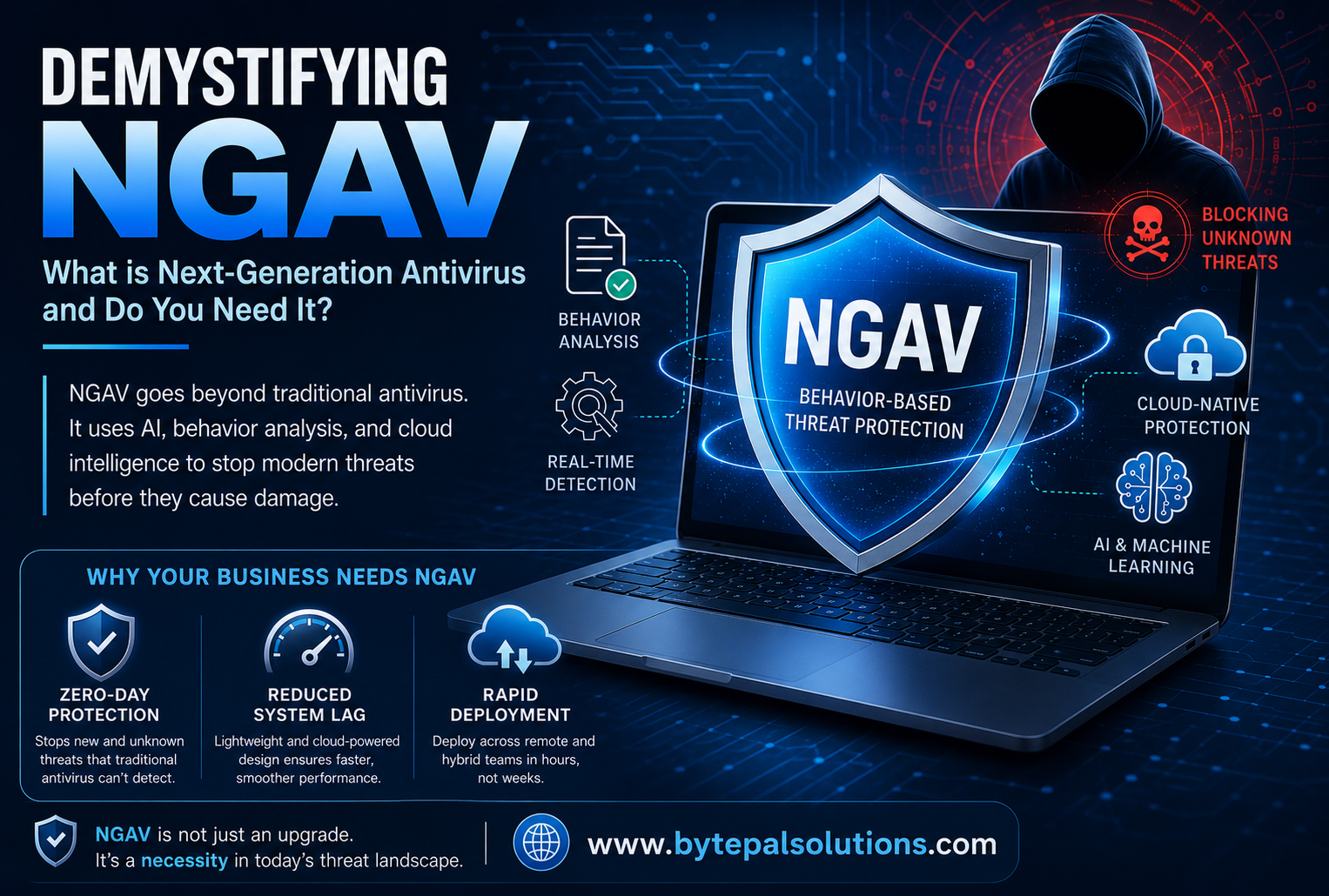
As threat actors grew more sophisticated, the cybersecurity industry had to completely re-engineer its approach to defense. The result was the development of New Generation Antivirus.
Instead of focusing on what a file looks like (its signature), a New Generation Antivirus focuses entirely on what a file is trying to do (its behavior). It shifts the defensive strategy from a passive look-up system to an active, real-time investigation.
[Traditional AV] ---> Checks File Fingerprint ---> Match Found? No ---> ALLOW RUN
[Modern NGAV] ---> Monitors File Execution ---> Actions Taken? ---> BLOCK IF MALICIOUS| Feature | Legacy Antivirus Software | New Generation Antivirus (NGAV) |
| Core Detection Method | Database lookups (Signature-based). | Intent & Activity (Behavioral analysis). |
| Unknown Threat Response | Weak. Relies on post-breach patches. | Strong. Stops zero-day variants pre-execution. |
| Handling Fileless Attacks | Completely blind to them. | Highly effective. Monitors system process anomalies. |
| System Performance Impact | High. Heavy local scans cause lag. | Low. Cloud-optimized and lightweight. |
One of the most compelling arguments for migrating to a New Generation Antivirus framework is the rise of fileless malware.
Modern attackers frequently avoid downloading standard malicious files altogether. Instead, they use a tactic called “Living off the Land.” They hijack trusted, legitimate administrative tools already built into your operating system (such as Windows PowerShell or Command Prompt) to execute malicious scripts directly in the computer’s temporary memory (RAM).
Because no files are downloaded, traditional signature-based tools see absolutely nothing wrong. The software looks at PowerShell, recognizes it as a trusted application, and ignores the activity. An NGAV system, however, monitors the commands being run inside PowerShell. If it spots an administrative tool suddenly attempting to scrape passwords from memory or quietly encrypt data blocks, it recognizes the behavioral anomaly and cuts off the access immediately.
If your organization is still operating on a standard security model, you are exposed to substantial operational, financial, and reputational risk. Relying on legacy definitions to stop modern ransomware, data exfiltration, and supply chain attacks is a gamble that rarely pays off.
Upgrading your endpoint infrastructure to a modern platform gives your business three critical advantages:
True Ransomware Prevention: Ransomware moves with terrifying speed. NGAV platforms can spot the exact moment an unauthorized encryption process begins, halt it, and prevent a minor incident from becoming an operational shutdown.
Seamless Remote Management: In a hybrid or remote work environment, keeping tabs on corporate laptops is incredibly difficult. Cloud-managed systems allow your IT lead to deploy updates, monitor alerts, and enforce security policies globally, regardless of where an employee logs in.
Preserved Operational Continuity: Cyberattacks don’t just cost money in terms of recovery; the resulting downtime can stall your revenue for days or weeks. Proactive, automated containment keeps your business running smoothly without disruption.
Complete protection for your digital life and identity.
Smart maintenance for your systems.
Smart websites for your digital presence and business growth.
Welcome Back 👋
Sign in to access your account and continue where you left off.
Welcome aboard 🚀
Create your account to access everything you need.