

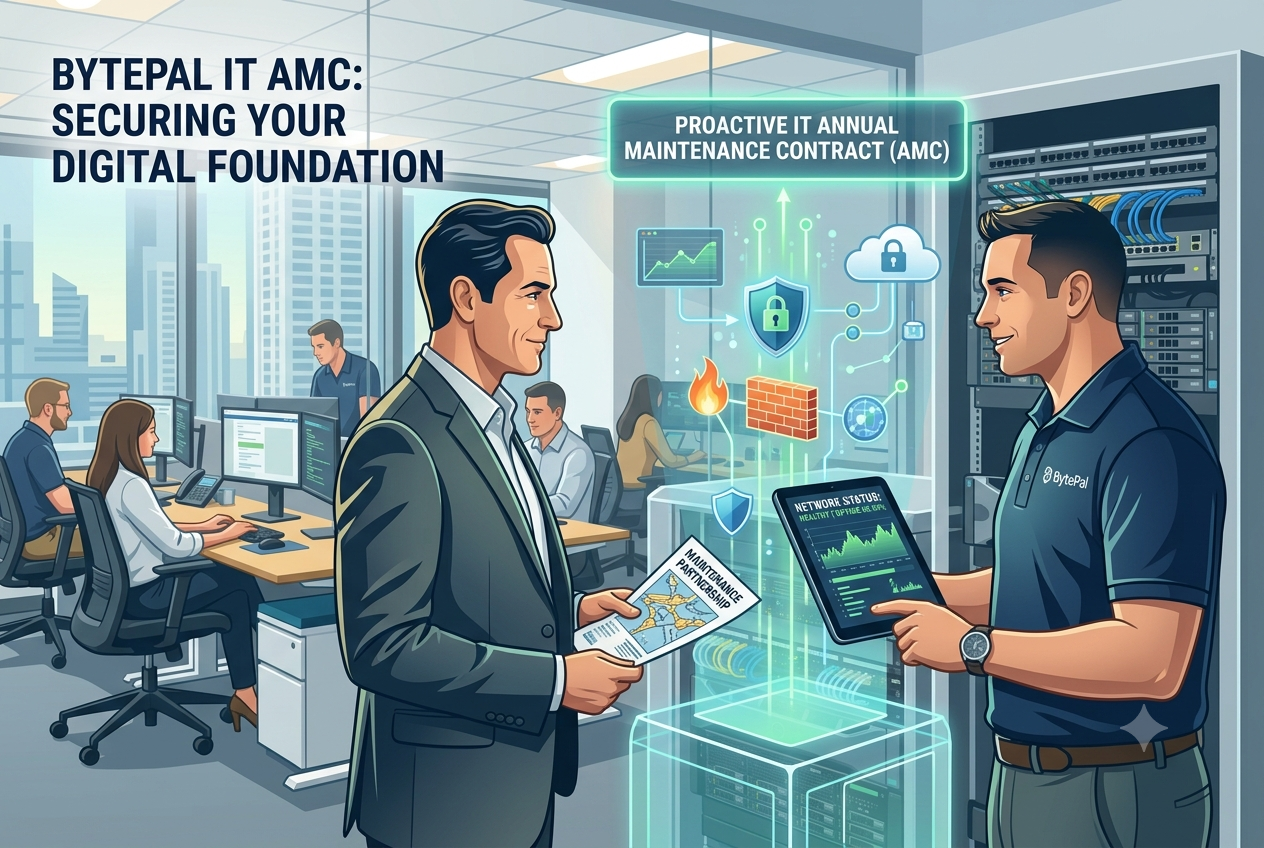
October 9, 2026 Riya Khare Antivirus An IT annual maintenance contract is a formal, long-term service agreement where a professional IT partner assumes ongoing responsibility for the health, security, compliance, and optimization of your organization’s digital infrastructure for a fixed annual fee. Instead of scrambling during a crisis, your business secures continuous monitoring and maintenance designed to prevent downtime altogether. Imagine a critical server crash or an internal network failure striking your office right during peak operational hours. As employee productivity grinds to a halt, the frantic search begins: calling local technicians, waiting for call-backs, and negotiating emergency hourly rates while your revenue slips away. For many organizations, this unpredictable cycle is a normal part of business. It is known as the break-fix model—ignoring your technology until it breaks, then paying a premium to patch it together. However, relying on reactive tech fixes is an expensive, high-risk strategy for modern businesses. To maintain operational continuity, forward-thinking enterprises are shifting toward a structured, proactive alternative: a dedicated IT annual maintenance contract. Deconstructing the IT Annual Maintenance Contract: What is Actually Covered? An enterprise-grade IT annual maintenance contract goes far beyond simple emergency troubleshooting. It acts as a comprehensive shield for your entire digital ecosystem, typically covering four core operational pillars: Hardware Lifecycle & Maintenance: Regular physical checkups, internal cleaning, performance diagnostics, and component optimization for servers, desktop workstations, routers, and essential storage systems. This prevents overheating and early equipment degradation. Software & Security Upgrades: Routine, scheduled deployment of critical software patches, operating system updates, and system firmware upgrades across all corporate devices. This ensures your software stays stable and secure against emerging exploits. Network & Infrastructure Audits: Continuous oversight of your internal local networks, firewalls, and Wi-Fi access points. Technicians proactively scan for configuration errors or bandwidth bottlenecks before they can disrupt day-to-day operations. Priority Helpdesk Support: Backed by a strict Service Level Agreement (SLA)—a contractually guaranteed response timeline—an agreement ensures your company skips the queue. If a critical technical glitch occurs, certified engineers are dispatched immediately to resolve the issue. Comprehensive vs. Non-Comprehensive IT Annual Maintenance Contract Agreements When evaluating your options, organizations generally choose between two primary contract structures depending on their infrastructure age and risk tolerance: Comprehensive IT Annual Maintenance Contract This layout covers all routine labor, preventative maintenance, emergency troubleshooting, and the full cost of replacement spare parts or components if a device fails. It is best suited for organizations running mission-critical hardware where unpredictable repair costs could shatter quarterly budgets. Non-Comprehensive IT Annual Maintenance Contract This structure covers all routine maintenance, technical labor, and priority support. However, any necessary spare parts or hardware components are billed separately at market cost. This is best for companies utilizing newer, under-warranty hardware where the risk of total component failure is minimal, but expert maintenance is required. The Bottom-Line Benefits: Why Growing Businesses Invest in an IT AMC An IT annual maintenance contract is not an operational expense; it is a strategic asset that directly protects your company’s bottom line. Partnering with a dedicated corporate IT partner yields several distinct commercial advantages: 1. Predictable Operational Expenditure (OpEx) The break-fix model introduces extreme volatility to your cash flow. A single major server failure can result in an unexpected bill worth thousands of dollars. An IT annual maintenance contract consolidates your IT upkeep into a single, predictable annual or quarterly line item, allowing finance teams to allocate capital with precision. 2. Drastic Reduction in System Downtime According to infrastructure deployment data tracked by leading tech analysts like Gartner (this link provides an external authoritative resource), unplanned downtime costs businesses substantial revenue every hour in lost employee output and missed client opportunities. Because an IT annual maintenance contract prioritizes preventative maintenance, engineers often detect degrading hard drives, failing cooling fans, or network vulnerabilities silently in the background—resolving them before your team even notices a glitch. 3. Extended Hardware Lifespan Enterprise technology is a major capital investment. Just as regular, scheduled maintenance extends the operational life of corporate vehicles, routine optimization, firmware updates, and physical cleaning executed under a managed IT annual maintenance contract maximize the return on investment (ROI) of your workstations and server stacks. 4. Stronger Cybersecurity Posture Outdated software, unpatched operating systems, and misconfigured firewalls are the primary gateways for corporate data breaches. Security frameworks provided by documentation leaders like Microsoft Security emphasize that immediate patch distribution is mandatory for modern compliance. A contract ensures that critical security updates are never put on the back burner by busy internal staff. Your systems remain consistently defended against modern malware and cyber threats.
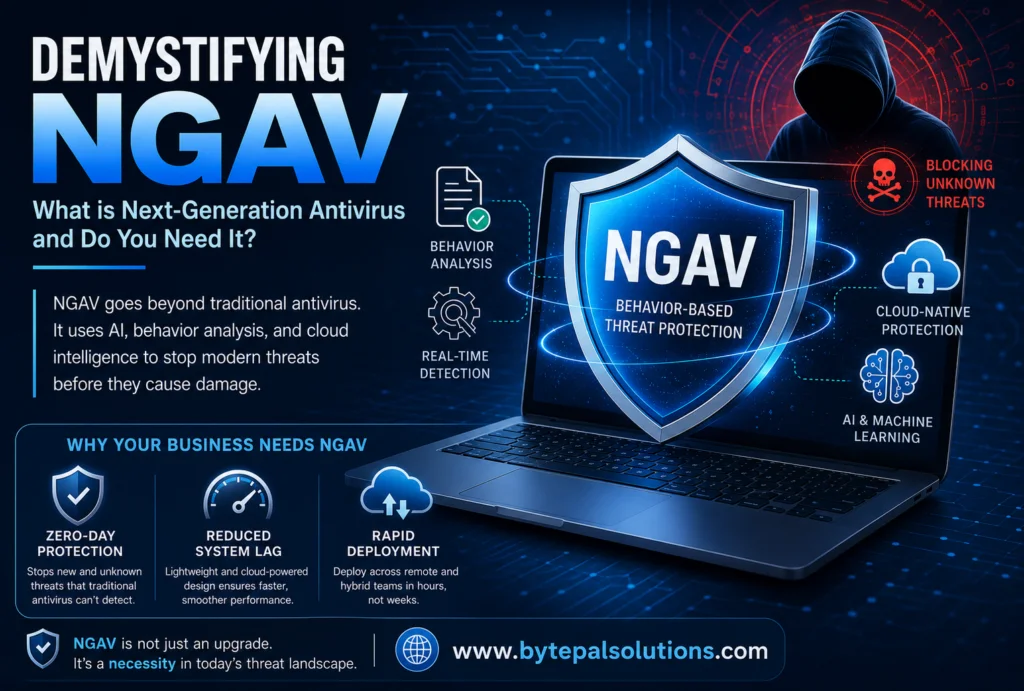
NGAV: What is Next-Generation Antivirus and Do You Need It!
October 9, 2026 Riya Khare Antivirus The Mechanics of Signatures Think of standard antivirus software as a security guard at an office building checkpoint holding a book of “Wanted” posters. When a new malware variant is discovered somewhere in the world, cybersecurity researchers isolate its unique underlying code. They generate a specific digital fingerprint for that code, known as a signature. This signature is added to a massive, centralized database shared with your security software. When a file enters your system, the scanner checks it against this database. If it finds an exact match, the file is flagged and quarantined. The Fatal Vulnerability: The Zero-Day Attack While highly effective at filtering out known, low-level script junk, this database-driven model has a massive architectural flaw: it requires a victim to exist before a defense can be created. If a hacker writes a brand-new piece of malicious code—or subtly modifies an existing one so its digital fingerprint changes—the database has no record of it. This is known as a zero-day threat. When traditional software scans a zero-day file, it finds no matching signature on its wanted list, shrugs its shoulders, and allows the file straight into your corporate network. Enter the New Generation Antivirus (NGAV) As threat actors grew more sophisticated, the cybersecurity industry had to completely re-engineer its approach to defense. The result was the development of New Generation Antivirus. Instead of focusing on what a file looks like (its signature), a New Generation Antivirus focuses entirely on what a file is trying to do (its behavior). It shifts the defensive strategy from a passive look-up system to an active, real-time investigation. [Traditional AV] —> Checks File Fingerprint —> Match Found? No —> ALLOW RUN [Modern NGAV] —> Monitors File Execution —> Actions Taken? —> BLOCK IF MALICIOUS Side-by-Side: Legacy vs. Next-Gen Protection Feature Legacy Antivirus Software New Generation Antivirus (NGAV) Core Detection Method Database lookups (Signature-based). Intent & Activity (Behavioral analysis). Unknown Threat Response Weak. Relies on post-breach patches. Strong. Stops zero-day variants pre-execution. Handling Fileless Attacks Completely blind to them. Highly effective. Monitors system process anomalies. System Performance Impact High. Heavy local scans cause lag. Low. Cloud-optimized and lightweight. The Sophisticated Threat: Fileless Malware One of the most compelling arguments for migrating to a New Generation Antivirus framework is the rise of fileless malware. Modern attackers frequently avoid downloading standard malicious files altogether. Instead, they use a tactic called “Living off the Land.” They hijack trusted, legitimate administrative tools already built into your operating system (such as Windows PowerShell or Command Prompt) to execute malicious scripts directly in the computer’s temporary memory (RAM). Because no files are downloaded, traditional signature-based tools see absolutely nothing wrong. The software looks at PowerShell, recognizes it as a trusted application, and ignores the activity. An NGAV system, however, monitors the commands being run inside PowerShell. If it spots an administrative tool suddenly attempting to scrape passwords from memory or quietly encrypt data blocks, it recognizes the behavioral anomaly and cuts off the access immediately. Does Your Business Need to Upgrade? If your organization is still operating on a standard security model, you are exposed to substantial operational, financial, and reputational risk. Relying on legacy definitions to stop modern ransomware, data exfiltration, and supply chain attacks is a gamble that rarely pays off. Upgrading your endpoint infrastructure to a modern platform gives your business three critical advantages: True Ransomware Prevention: Ransomware moves with terrifying speed. NGAV platforms can spot the exact moment an unauthorized encryption process begins, halt it, and prevent a minor incident from becoming an operational shutdown. Seamless Remote Management: In a hybrid or remote work environment, keeping tabs on corporate laptops is incredibly difficult. Cloud-managed systems allow your IT lead to deploy updates, monitor alerts, and enforce security policies globally, regardless of where an employee logs in. Preserved Operational Continuity: Cyberattacks don’t just cost money in terms of recovery; the resulting downtime can stall your revenue for days or weeks. Proactive, automated containment keeps your business running smoothly without disruption.
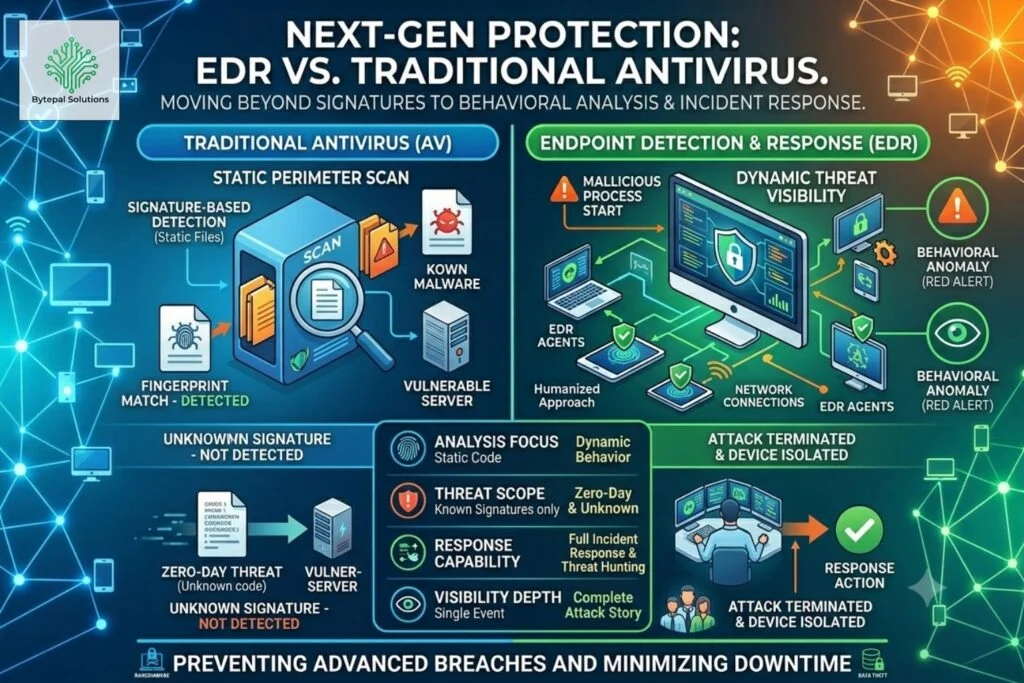
EDR vs. Traditional Antivirus: What Your Business Needs to Prevent Modern Cyber Threats
October 9, 2026 Riya Khare Antivirus If you are currently evaluating your defensive toolkit, you might be looking for standard antivirus software for business to check a box. However, relying on the same basic protection model from five years ago means bringing a knife to a laser fight. Cyberattacks have evolved dramatically. Today’s hackers don’t just blast obvious, easily detectable viruses into the wild. They use sophisticated, stealthy, and customized techniques designed specifically to slip past standard security guards. To protect your business assets, customer data, and reputation, you need to understand the fundamental shift from traditional tools to Endpoint Detection and Response (EDR). Here is a high-level look at how modern threats work, and why legacy protection is no longer enough to stop them. The Limitations of Traditional Antivirus (AV) To understand why standard business security software falls short today, it helps to understand how it works. Think of traditional AV like an airport security guard holding a book of “Wanted” posters. Traditional AV relies almost entirely on signature-based detection: When a known malware strain is discovered in the wild, cybersecurity experts analyze its unique code and create a “signature”—essentially a digital fingerprint. Your AV provider adds this fingerprint to a massive database. When files enter your system, the AV scans them and checks them against this database. If it finds an exact match, it blocks the file. The Fatal Flaw: The Zero-Day Exploit This system works perfectly—if the threat is already known. But what happens if a hacker creates a brand-new piece of malware that has never been seen before? This is called a zero-day threat. Because the malware is completely new, it has no digital fingerprint in the database. The traditional AV looks at the file, finds no match on its wanted list, and lets it straight through the front door. Enter EDR: The Modern Security Guard Endpoint Detection and Response (EDR) doesn’t just look at what a file looks like; it watches what the file does. If traditional AV is a security guard checking IDs against a list, EDR is a team of undercover, 24/7 private investigators monitoring the behavior of everyone inside the building. Even if a visitor has a valid ID, if they start trying to pick locks or break into the server room, the EDR team tackles them immediately. How EDR Catches What AV Misses EDR uses advanced behavioral analysis, machine learning, and continuous monitoring to spot anomalies. Here is how it stops modern threats: Monitoring Behavior, Not Names: A zero-day malware file might look completely innocent on the surface. But once it runs, it might suddenly try to alter core system files, quietly encrypt data (the hallmark of ransomware), or harvest passwords. EDR spots this suspicious behavior instantly and stops it. Isolating the Threat: If an employee accidentally clicks a malicious link and a device gets infected, a standard AV might alert you, but the malware can still spread across your network. EDR can automatically isolate that specific laptop from the rest of the business network, preventing a single infection from turning into a company-wide catastrophe. Providing Forensic Context: EDR acts like a flight data recorder (a “black box”) for your computers. If a security event happens, EDR tells your IT team exactly how the attacker got in, what files they touched, and where they tried to go so you can patch the hole permanently. A Quick Comparison: AV vs. EDR Feature Traditional Antivirus (AV) Endpoint Detection and Response (EDR) Primary Mechanism Signature-based (Looks for known bad files). Behavioral analysis (Looks for dangerous actions). Zero-Day Protection Weak. Misses novel, modified, or fileless attacks. Strong. Catches attacks based on suspicious behavior. Response Capability Simply deletes or quarantines the specific file. Can isolate devices, terminate processes, and roll back damage. Visibility Alerts you after a known file is found. Provides a full timeline of how the attack occurred. Which One Does Your Business Need? The short answer? Upgrading to modern security software for companies is no longer optional. In the modern threat landscape, relying solely on traditional AV is a massive business risk. Hackers know exactly how to bypass signature-based tools, often utilizing “fileless malware”—attacks that use legitimate, built-in system tools to execute malicious commands without ever downloading a traditional “virus” file. While traditional AV still has a small place in filtering out basic, low-level junk code, EDR is the benchmark required to defend against ransomware, targeted phishing, and zero-day exploits. Upgrading your corporate security architecture isn’t just about buying better software; it’s about giving your business the resilience to survive an attack, keep your operations running, and protect your bottom line.